
Does My New-Construction Sarasota Home’s Builder Warranty Cover Smart Home Wiring and Devices?
Quick Answer:
Usually only partly. Most Sarasota builder warranties cover smart home wiring and builder-installed devices for about one year under materials and workmanship, not under the longer structural coverage, and failed devices are often sent to the manufacturer instead. To protect yourself, have the system tested and document every problem before your 11-month warranty walkthrough.
The pattern is familiar to anyone who has bought new construction in Sarasota. The closing went smoothly and the smart home package was part of the upgrade list. Then the move-in reveals wall jacks that don’t deliver internet, keypads blinking amber and a closet cabinet full of loose, unlabeled cables. The homeowner submits a warranty ticket and receives an automated reply saying device configuration isn’t covered. The builder points to the internet provider, and the internet provider says anything inside the walls belongs to the builder.
Understanding how builder warranties treat low-voltage systems is the key to getting problems fixed while someone else is still responsible for them. Most of these issues are installation faults, not defective products, and they are far easier to resolve in the first year than after the warranty expires. The homeowners who come out ahead are the ones who find and document the problems early.
How Builder Warranties Usually Treat Smart Home Wiring and Devices
Many Florida builders provide a tiered warranty, often described as 1-2-10 coverage. The details vary by builder and warranty company, so the warranty documents you received at closing are the final word. Still, the general structure is similar across most new-construction communities in Sarasota and the surrounding area.
| Coverage tier | What it usually includes | Where smart home items typically fall |
|---|---|---|
| About 1 year | Materials and workmanship | Low-voltage cabling, terminations, wall plates and builder-installed smart devices |
| About 2 years | Major systems such as electrical, plumbing and HVAC | High-voltage electrical, with low-voltage work often excluded |
| About 10 years | Major structural components | Foundations and load-bearing structure, not technology |
The practical effect is that the smart home portion of a new home usually has the shortest protection of anything in the house. A data cable damaged during construction is typically a one-year workmanship item even though it sits inside a wall that is covered for a decade. Builders also commonly separate their installation work from the devices themselves. Many direct homeowners to the device maker’s warranty and customer service line for a failed doorbell, thermostat or smart switch, instead of sending a technician.
Warranties also include conditions that can reduce coverage. Many exclude damage caused by homeowner alterations, and opening walls or rewiring components can give a builder grounds to deny a later claim. Reading those terms before troubleshooting on your own is time well spent.
The Misconception: “Smart Home Ready” Means Smart Home Working
The phrase “smart home ready” causes more frustration in new construction than almost anything else. Many buyers assume it means a working system: active network jacks, connected devices and reliable Wi-Fi throughout the home. In many builder packages, it means only that cable has been run to certain locations. The finishing work that makes those cables function is often left undone.
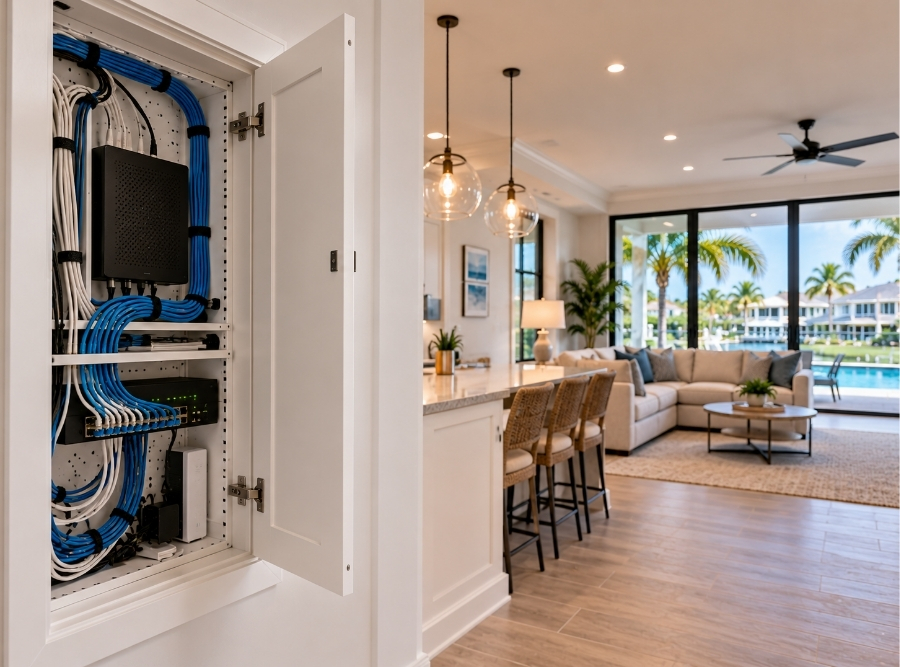
That finishing work includes terminating the cables at both ends, installing a network switch and power supply in the structured media enclosure, and connecting everything to the internet service. Without it, a wall jack is simply a faceplate with a wire behind it. Homeowners who paid thousands for an upgrade package are often surprised to find a closet cabinet with cut cables and no equipment at all. Some builders consider that package delivered as promised.
This is why reading the upgrade contract matters. If the package describes pre-wiring, the builder may have met its obligation even though nothing works. If it describes active network drops, installed devices or a functioning system, the missing work may be a legitimate warranty item. Knowing which situation applies tells you whether to pursue the builder or plan to finish the system yourself.
Where New-Construction Smart Home Wiring Fails
Most failures in new homes trace back to the pace of construction rather than defective equipment. In fast-moving builds across master-planned communities like Lakewood Ranch, Wellen Park and Palmer Ranch, data cabling is often installed alongside electrical rough-in. When Cat6 cable is stapled too tightly or kinked behind drywall, its internal wire pairs can be damaged. The cable may still pass a simple connection test while delivering poor speeds or dropping out entirely. Nothing trips a breaker, so the problem stays hidden until devices start failing.
Terminations are the next weak point. A single poor punch-down at the jack or panel can disable a network drop, and it may be only a few minutes of work to fix. Some builders also terminate jacks to older telephone wiring standards rather than the data standards modern networks use. Those jacks look identical but won’t carry internet to a TV or home office computer. Remote workers who planned their home office around a hardwired connection are often the first to discover this.
Power and hardware add a few more failure points. Low-voltage transformers that run doorbells and thermostats can be undersized or wired poorly, which causes devices to reset when the air conditioning compressor starts. Smart deadbolts can bind as new door frames settle in the first year, grinding their motors while the app reports the door as locked. The structured media enclosure itself is often left unlabeled. That makes every later repair slower and more expensive for whoever has to trace the cables.
Builder, Manufacturer or Internet Provider: Who Is Responsible?
The frustration many new homeowners describe comes from three parties each pointing to the other two. The dividing lines are usually clearer than they seem, and knowing them makes every warranty conversation shorter.
The builder is generally responsible for installation. That includes cabling inside the walls, terminations at jacks and the media enclosure, and devices the builder or its subcontractors installed and wired. Damaged cable, miswired jacks, loose terminations and undersized transformers are workmanship issues. They fall under the builder’s warranty while it lasts. The builder may have used both an electrical subcontractor and a low-voltage subcontractor, but the homeowner’s warranty relationship is with the builder.
Device manufacturers are responsible for products that fail on their own, such as a doorbell with a dead camera or a thermostat with a failed screen. Their warranties usually require the device to be properly installed. That is why diagnosing the wiring first matters before accepting a builder’s instruction to call the manufacturer.
The internet provider is typically responsible only up to the point where its service enters the home and connects to its equipment. Most providers won’t diagnose or repair wiring inside the walls or builder-installed hardware. A technician may confirm that your jacks aren’t connected, but fixing them is outside their scope. With these lines drawn, the question becomes where the fault is, and a proper test answers that.
Using the 11-Month Walkthrough to Your Advantage
Many builders offer a walkthrough or final warranty request near the 11-month mark, just before first-year coverage ends. It is the most important moment to address smart home problems, because anything documented before the deadline can still be the builder’s responsibility. Anything discovered afterward usually becomes the homeowner’s expense.
The strongest claims come with evidence. A professional low-voltage audit can test each network drop, identify cables that fail or perform poorly, and confirm whether jacks are terminated to data standards. It can also check transformers and device power. The results give the builder a specific, documented list of faults rather than a general complaint that “the smart home doesn’t work.” Builders tend to act more quickly on test results than on descriptions.
What homeowners should avoid before that walkthrough is do-it-yourself repair. Cutting drywall to find a lost cable, re-terminating jacks with standard wire strippers or rearranging the media enclosure can damage components. It can also give a builder grounds to deny the claim. Pressing reset buttons on devices rarely helps either, since it clears pairing without fixing the wiring underneath. If a builder still refuses to address documented defects, Florida has a formal notice process for construction defect claims. Speaking with an attorney is the right next step at that point.
Sarasota Conditions That Expose Weak Installations
Sarasota’s climate tends to reveal installation shortcuts within the first year. Many builders place the structured media enclosure in the garage. Summer garage temperatures regularly exceed 100°F and can climb past 110°F, which shortens the life of network switches, power supplies and hubs in an unventilated metal cabinet. Equipment that worked through a mild winter move-in can start failing when the heat arrives, often right around the 10 to 14 month mark, just as first-year coverage is ending.
Summer storms add electrical stress. Afternoon lightning from June through September and the surges that come with it can damage transformers and panel equipment, especially when low-voltage components aren’t properly grounded or surge protected. Humidity plays a role during construction too. Cable ends left unterminated and exposed in open walls for weeks can corrode before anyone connects them.
Buying patterns make timing worse for some owners. Second-home and out-of-state buyers often close on a new Sarasota home and don’t live in it full time for months. By the time they discover dead jacks or failed devices, the first-year window may be nearly closed. For those owners, scheduling a system test soon after closing, rather than waiting for problems to appear, is the simplest way to protect their warranty rights.
What Waiting Costs
| Timing | What the work usually involves | Relative cost to the homeowner |
|---|---|---|
| Within the first year | A professional audit that documents faults for the builder to repair | Low |
| After the warranty expires | Paying to trace, re-terminate or run new cabling after a denied claim | Moderate to high |
| Worst case | Opening finished drywall, repainting and replacing damaged audio or HVAC control boards | Highest |
The table explains why timing matters more than almost anything else in new construction. The same repair can cost the homeowner almost nothing in month ten and a significant amount in month thirteen.
The Paradise Systems Difference
Most new-construction smart home problems exist because nobody tested the system before the homeowner moved in. Paradise Systems approaches a new home the way we approach our own installations. Every drop is tested, every termination is checked, and the media enclosure is labeled and documented. That gives homeowners a clear picture of what works, what doesn’t and who is likely responsible.
For homeowners still inside their first-year window, we can provide an audit with documented results to support a warranty request. For homeowners whose warranty has ended, we can repair faulty terminations and finish incomplete “smart home ready” packages. We can also rebuild the media enclosure with properly ventilated, surge-protected equipment. When cables are truly damaged inside the walls, we look for the least invasive path to replace them before recommending anything that involves opening drywall.
We also design the finished network around how the family actually lives in the home. That can mean reliable Wi-Fi coverage throughout, hardwired connections for the home office and a smart home setup that works from a single app. We help new homeowners across Sarasota, Lakewood Ranch and the rest of Tampa Bay turn builder wiring into a system they can rely on.
Frequently Asked Questions About Builder Warranties and Smart Home Wiring
Does a 2-10 builder warranty cover structured media cabinet wiring?
In most cases, wiring inside the structured media cabinet is treated as a materials and workmanship item, which is usually limited to the first year. The longer two-year and ten-year tiers generally cover major electrical systems and structure, not low-voltage cabling. Your specific warranty documents decide the coverage, so check them carefully. If you find problems, report them in writing before the first-year deadline.
Why don’t the internet jacks in my new home work?
The most common causes are cables that were never terminated, poor terminations at the jack or cabinet, or cable damaged during construction. Some jacks are also terminated to older telephone standards rather than data standards, so they can’t carry an internet connection. In some homes, the media enclosure simply has no network switch installed. A professional test can identify which of these applies to each jack.
My builder says my smart home problem is the internet provider’s fault. Is it?
Sometimes, but not usually when the problem is inside the walls. Internet providers are generally responsible for service up to their own equipment and typically won’t repair builder-installed wiring. If jacks, cabling or builder-installed devices are faulty, those are usually installation issues under the builder’s warranty. Test results showing where the fault is will settle the question quickly.
Will opening my walls or fixing wiring myself void my builder warranty?
It can. Many builder warranties exclude damage from homeowner alterations, and cutting drywall or re-terminating cables yourself may give the builder grounds to deny a claim. It can also damage components that were repairable. If you’re still within your warranty period, document the problem and let the builder address it first.
What can I do if my builder warranty has already expired?
You can still have the system repaired, but the cost will usually be yours. A low-voltage specialist can test the wiring, re-terminate faulty connections and finish any incomplete work. Damaged cable can often be replaced through attics or existing pathways without major drywall work. In many cases, the fixes are smaller than homeowners expect once the actual faults are identified.
Getting Your New Home’s Smart System Checked in Time
If you’ve recently closed on a new home in Sarasota or the surrounding communities, the best time to test your smart home wiring is well before your first-year warranty deadline. A system audit can show exactly what works, document what doesn’t, and give you the information you need for a strong warranty request. If your warranty has already ended, we can repair and complete the system so it finally works as promised. Paradise Systems is available to help new-construction homeowners across Sarasota and Tampa Bay.